
AI tools now help many developers produce more code than before. According to the GitHub Blog, published on 2026-11-06, GitHub saw more than 1.2 billion commits in one week in October. That is over 400% more than a year earlier.
More code does not automatically mean more finished work. The same post cites a Faros AI study that found pull requests spent 441% longer in review when teams moved from low to high AI adoption.
This guide shows how to apply that workflow stage by stage. The GitHub package firewall mentioned below is described by GitHub as being in public preview, so check what is available to you first.
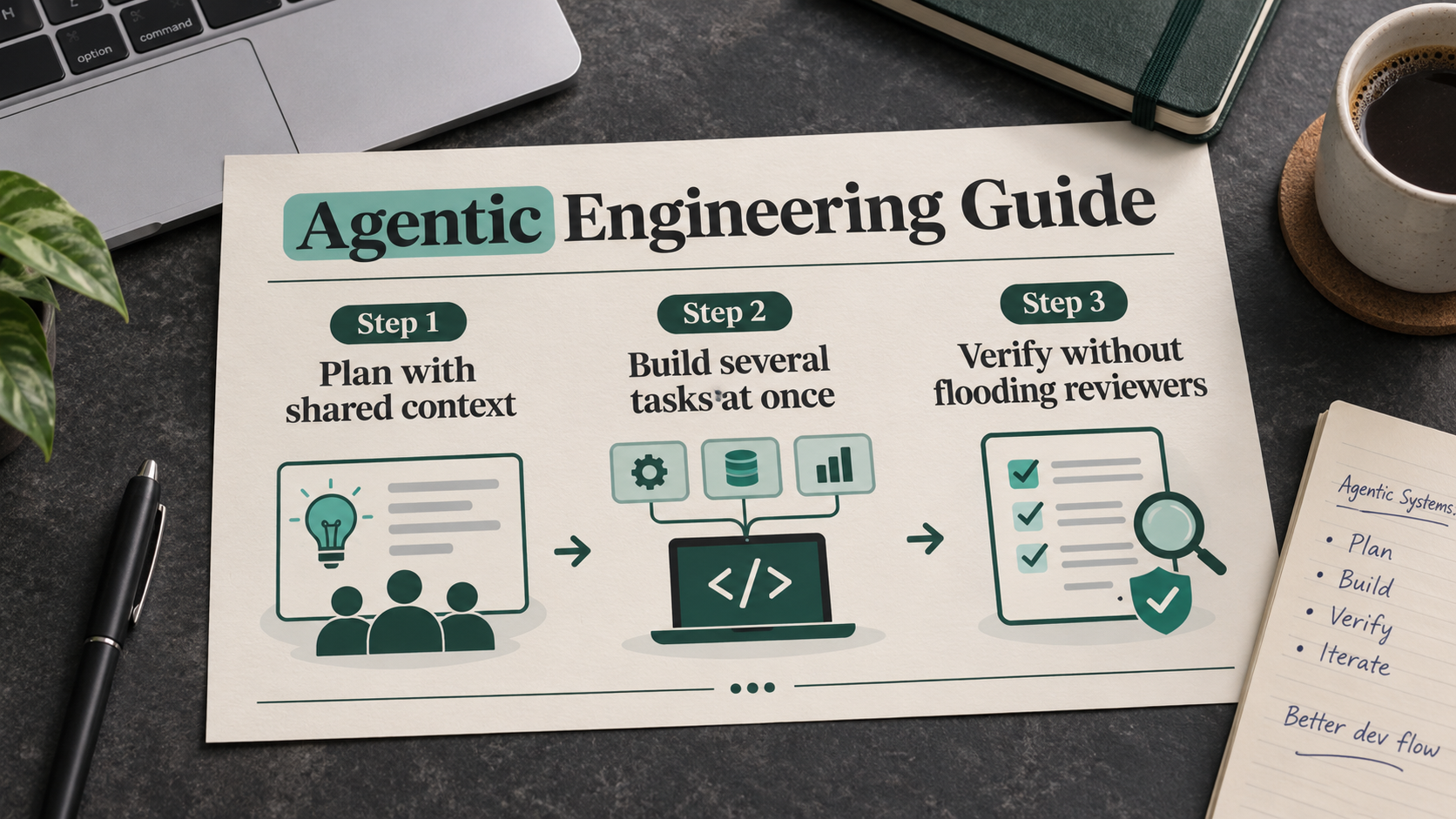
Step 1: Plan with shared context
GitHub suggests using Copilot to collect scattered context in one place and turn decisions into a plan.
- Plan where your team works. Use Copilot in Slack or Teams so product managers, designers, analysts and other stakeholders can check assumptions and refine requirements together.
- Turn requirements into work. Ask Copilot to create GitHub Issues that include context and acceptance criteria, and to split out tasks that can be handled separately.
- Reduce triage effort. GitHub Agentic Workflows can label your issues and rate how complex each task is.
- Plan complex work properly. For bigger jobs, open Plan Mode from whichever Copilot surface you prefer. It helps you weigh options and shape an implementation plan.
The result, according to GitHub, is a reviewable plan, explicit acceptance criteria and scoped issues.
Step 2: Build several tasks at once
Once you have a plan, you may need to keep work moving while you are away from your computer or busy with other things. The post lists several features for this.
- Continue on another device. With session continuity, a Copilot session you started on one client can be resumed on another.
- Let work run in the cloud. Copilot runs tasks in cloud sandboxes, so execution stays off your machine and you can leave and return to a session later.
- Keep tasks separate. In the Copilot app, each session works on its own isolated copy of the repository. A coding task and a docs update therefore do not end up sharing one half-finished working tree.
- Share project knowledge. Repository instructions capture conventions and validation commands. Shared memory holds useful facts that Copilot can draw on throughout a repository. Copilot Dreaming looks over eligible sessions and pull request feedback, so memories stay up to date, and it can suggest changes to instructions or skills.
- Match models to the work. Copilot Fusion lets you pick the models and the depth of reasoning for a given task, and it can add further models to check a solution when needed. The effort level is yours to set, trading off quality, cost and speed of response.
- Follow company rules. Enterprise managed settings bring your company's policies and configured tools along with you across Copilot surfaces.
Step 3: Verify without flooding reviewers
GitHub points to the review queue as the 441% in practice. Its advice is to make changes easier for a person to review and let Copilot handle routine checks first.
- Use smaller pull requests. Stacked pull requests separate dependent work into smaller pieces. Each can be reviewed on its own, dependencies stay visible, and other teams can build on your work before it merges.
- Catch routine issues early. Before a human reviewer sees a change, GitHub Code Quality checks it against coding practices and your organization's standards.
- Match review depth to the change. Copilot code review gives automated feedback that is light for simple changes and more thorough for complex ones. You can choose the depth yourself or let Copilot pick it for each pull request.
- Check security more widely. AI Scan can find vulnerabilities in languages and files that CodeQL does not cover. AI secret detection helps spot unstructured secrets, such as passwords, which pattern matching can miss.
- Keep dependencies within policy. Before a merge, the license compliance feature compares the licenses of new dependencies with your company's rules. The GitHub package firewall is currently in public preview for npm. It can block downloads that violate the security policies you have configured.
- Agentic Autofix proposes repairs for security issues. Agent Merge automatically addresses failing checks, review comments and merge conflicts, which helps keep pull requests moving and prepares them for merge. If you configure it, Copilot will merge your pull requests once your verification steps pass.
Step 4: Observe what happens after release
After a release, problems such as intermittent timeouts can leave you comparing logs, release history and customer reports. GitHub suggests bringing operational evidence and engineering context together.
- Test assumptions against live behavior. When Copilot is connected to your observability tools and business data, for example through Fabric, it can help work out which requests or customer groups are affected.
- Record the finding. You can ask Copilot to write up a new issue that backs the finding with evidence and states what must be true to close it, and that issue can call for a test guarding against the failure you found.
- Carry lessons forward. Dreaming suggests improvements based on your sessions and repository activity. These can refine memories, skills and code review guidance, and you can go through them to decide which to accept.
Common problems and limits
The post is written by GitHub about its own tools, so treat its outcomes as vendor-reported, not independently tested.
- The 441% review delay comes from a Faros AI study cited by GitHub.
- The GitHub package firewall is currently in public preview for npm, according to the post.
- Automatic merging only happens if you configure it, and only once your verification steps pass.
- Plans should be reviewed and approved by a person before Copilot begins implementation.
Where to start
GitHub recommends not changing your whole process at once. Take one piece of work already on your plate and ask three questions: which context it requires, how you will review and test the result, and how you will confirm it worked once it ships. Pick the task that frustrates you most this week and hand it to an agent. Widen the approach to other parts of your process as you gain confidence.
Final thoughts
The main point of the GitHub post is that writing code is only one part of software work.
A small, specific starting point is easier to judge than a full rollout. Pick one task, apply the stages that fit, and see whether review time and rework improve for your team.