Google Cloud announced on 12 November 2026 a new set of updates that bring Chrome Enterprise to more healthcare endpoints. According to the Google Cloud Blog, the update covers compatibility with IGEL OS, native support on Citrix UniconOS, a wider collaboration with Omnissa, and new printing and PDF features for Epic Hyperspace on the web.
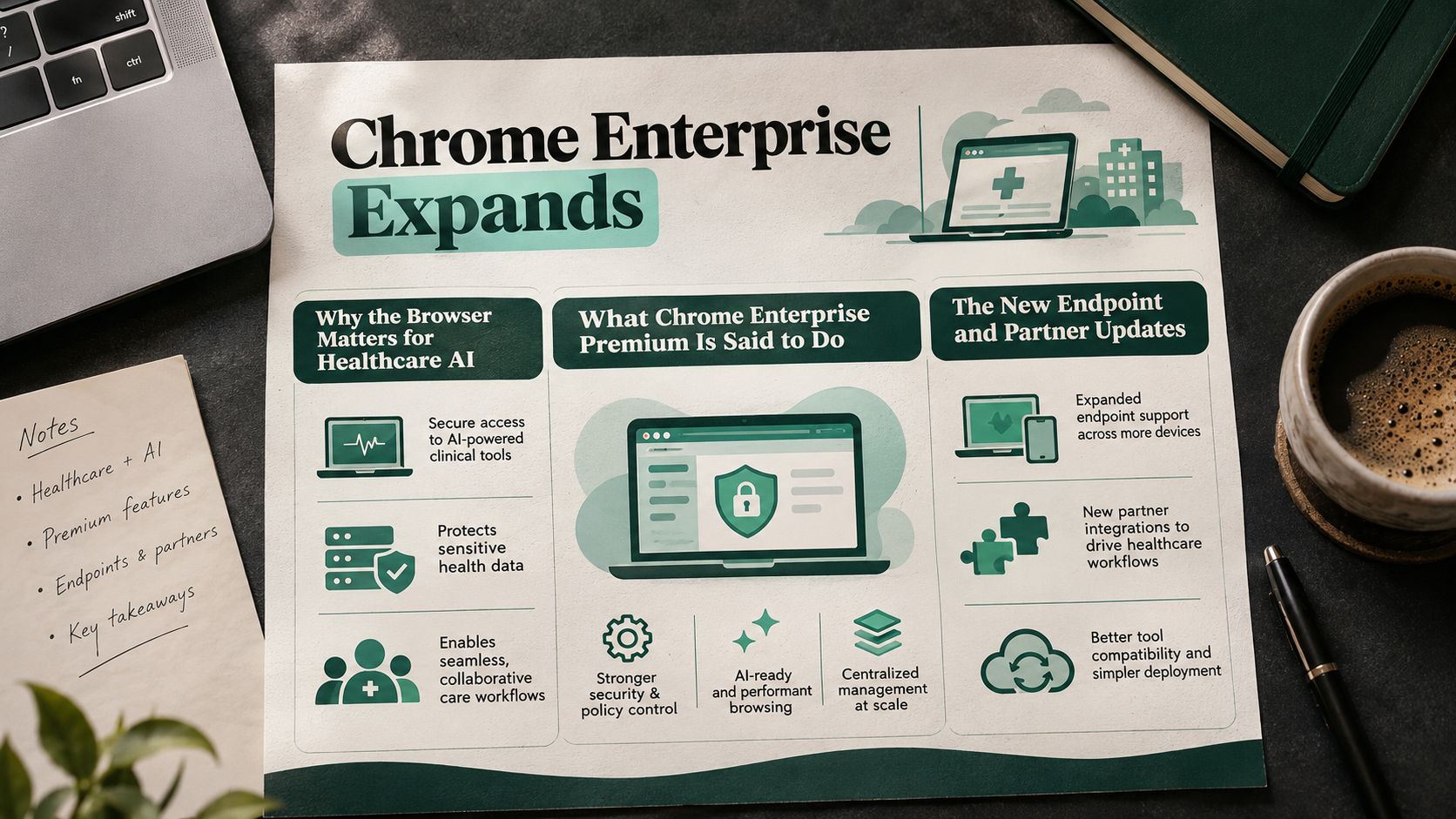
The business angle is control over where AI and patient data meet. Google argues that the move of electronic health records (EHRs) and clinical apps onto the web makes the browser the point where clinicians, applications, patient data and AI services converge.
This post explains what Google announced, what the source says about risk and governance, and which questions a business owner or technical lead can ask before acting. These are vendor claims from Google's own blog, not independent test results.
Why the browser matters for healthcare AI
Google describes a shift beyond chat. It says some clinical teams now use AI agents to write up documentation, summarize charts, move through web apps and carry out multi-step tasks for a clinician. Many of these agents work in the browser.
That makes the browser a risk point. Google's argument is that security teams need clear control over what clinicians and agents can access during a session.
The post also notes that healthcare systems often use a multi-vendor AI strategy. Google says it wants that flexibility supported, whether clinicians use Gemini or other web-based AI tools and extensions.
What Chrome Enterprise Premium is said to do
Google lists three goals for Chrome Enterprise Premium:
- Guard sensitive data: Data loss prevention (DLP) controls block unauthorized actions on sensitive data, such as copy and paste, form submission, printing and screen capture. Google says this stops patient data from reaching unapproved AI prompts or browser extensions.
- Maintain operational visibility: Reporting on browser activity, extension use and data transfers is meant to help security teams find shadow AI, meaning AI tools used without approval, and keep internal oversight.
- Govern extensions and web AIs consistently: Policies and extension controls apply at the browser layer. Google says IT teams can manage permissions, block risky extensions and set guardrails across AI services without a separate harness for each tool.
For a business, the appeal is one control point instead of one per AI tool. Whether that holds in your environment depends on your own testing.
The new endpoint and partner updates
Google says this announcement follows healthcare integrations it introduced in May. The new items are below.
IGEL OS
Chrome Enterprise is now compatible with IGEL OS and is soon to be available in the IGEL Marketplace. Google says healthcare IT can deploy and manage the browser on IGEL OS endpoints, including shared workstations, nursing stations and clinical carts.
Google describes the IGEL platform as a centrally managed, unchangeable endpoint base that aims to shrink the attack surface and make IT operations simpler. Deployment runs through the IGEL App Portal and IGEL Universal Management Suite, while the Google Admin console handles browser policy and extension management.
Citrix UniconOS
Google says its broader partnership with Citrix means hospitals and health systems are now able to deploy Chrome Enterprise directly on Citrix UniconOS devices, with no extra layer in between. Google says this gives IT another option for adding secure access and data protections.
Omnissa
Google is expanding its work with Omnissa, whose Workspace ONE and Horizon products many healthcare organizations use to manage, secure and deliver clinical applications. The aim is zero-trust security and device posture assessment in healthcare settings. Building on the May integration, organizations can verify device health before clinicians reach critical applications.
Epic Hyperspace on the web
Google also announced support for silent printing and PDF updates for Epic Hyperspace on the web. It says clinicians can send orders and wristbands straight to authorized printers, while native PDF rendering keeps protected health information isolated within the managed session.
What this means for businesses and developers
The source is a product announcement, so treat it as a starting point for your own evaluation. These questions can help:
- Does it fit our endpoints? Check whether your clinical devices run IGEL OS, Citrix UniconOS or Omnissa tools. Note that the IGEL Marketplace listing is described as coming soon.
- What is the licensing and cost? The source does not give pricing. Ask for the cost of Chrome Enterprise Premium and any partner platform fees. Google also states that features and partner integrations are subject to change.
- Do the DLP controls match our policies? Test copy, paste, print and screen capture rules against real clinical workflows before rollout.
- Can we see shadow AI today? Ask what visibility you already have into extensions and AI tools in use, and whether the reporting here fills gaps.
- How does it work with Epic? If you use Epic Hyperspace on the web, run a pilot of silent printing for orders and wristbands.
- Who owns the policy? Decide which team approves extensions and AI tools, since central controls only work with clear ownership.
For compliance questions, involve your legal and compliance teams. This post is not legal advice.
Final thoughts
Google's message is that browser-level controls can let IT and security teams say yes to new clinical technology without giving up protection and control. That is the company's own framing.
For decision makers, the practical step is to map your endpoints, AI tools and extensions, then test these controls in a small pilot before wider use.